Skip to content

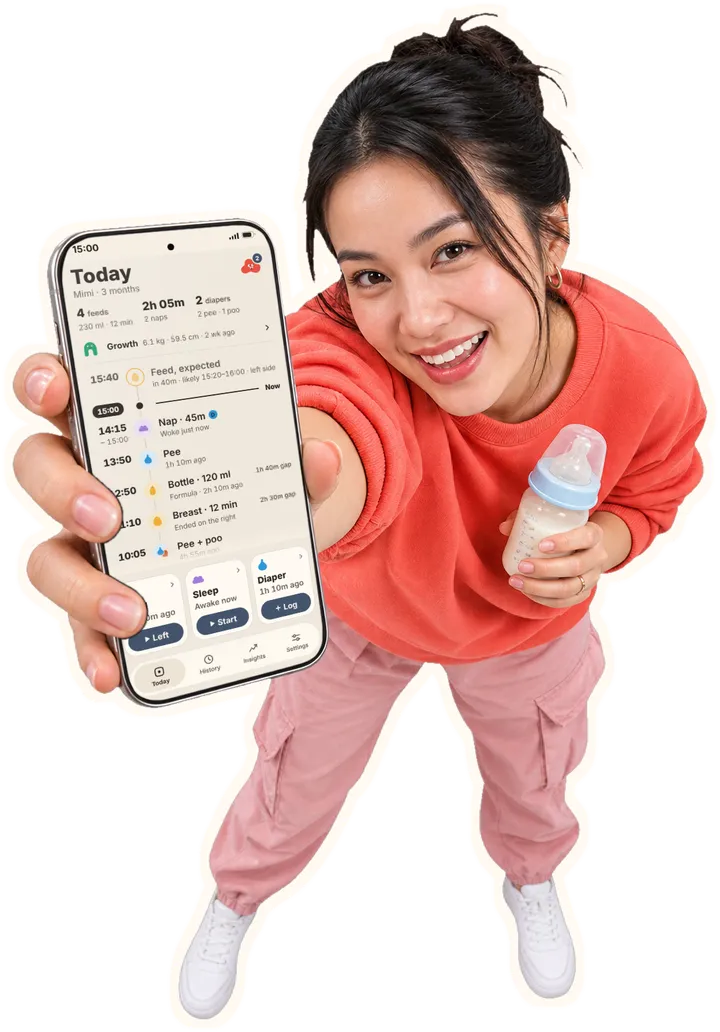
A minimalist baby tracker for iPhone and Apple Watch

95% of baby tracking. Light and lightning-fast.

Feeds, sleep, diapers and growth: the logs parents actually make, day and night. Opens in an instant, logs in one tap, and leaves out everything else.

Free · iPhone, iPad and Apple Watch · iOS 17 or later

Try it

One tap. That’s a log.

No forms, no “are you sure?”. Tap a friend, and if you change your mind, there’s Undo.

Diaper

Pee, poo, or both

Go on, tap one.

It works the same in the app, in widgets and on Apple Watch.

Less, on purpose

We left things out. On purpose.

What’s in

  • Feeds
  • Sleep
  • Diapers
  • Growth

What’s not

  • Accounts and sign-ups
  • Subscriptions
  • Streaks, badges and scores
  • Red warnings and judgy numbers
  • Dashboards to dig through at 3 a.m.

Your logs stay on your own devices, and in your own iCloud if you turn on sync.

Glance, don’t dig

The answer, before you finish asking.

When did she last eat?

2h 10m

since the last feed · Bottle 120 ml

When is the next one?

Next feed around

17:10

An estimate from your own logs, never a schedule.

No phone in hand?

Log from the Lock Screen, a widget or your wrist.

Family sharing

Dad logs.Mom sees.

Invite your partner and you both log the same baby from your own iPhones. Every feed, nap and diaper shows up on both phones, with who logged it.

  • Up to 5 people: your partner, grandparents, a nanny
  • A timer started on one phone runs on the other
  • Free, kept in iCloud, never on our servers
How family sharing works
Smiling dad who just logged the baby’s nap on his own iPhone
Nap · 45mLogged by Dad · 15:00
Mom holding up her iPhone with the shared baby log in BabyLvl Lite, showing Dad’s nap

Made for 3 a.m.

Dark, warm and one-handed.

  • Everything you tap sits at the bottom, under your thumb.
  • Timers keep running if you put the phone down.
  • A warm dark mode that won’t wake anyone.

Asleep

since 02:47

The small print

Free. Every feature.

Removing the small ads is one optional, one-time purchase. No subscription, ever.

Is BabyLvl Lite free?
Yes. Every feature is free. The app shows small ads, and removing them is one optional one-time purchase. There is no subscription.
Can both parents log the same baby?
Yes. Invite your partner from Settings › Family and you both log the same baby from your own iPhones, each with your own Apple Account. Every log shows who made it, up to 5 people can join, and it’s free.
Does it have a Home Screen or Lock Screen widget?
Yes. Small, medium and large Home Screen widgets plus three Lock Screen widgets. You can start or stop the sleep timer and log pee or poo right from the widget, without opening the app.
Does it work on Apple Watch?
Yes. The Apple Watch app logs breastfeeds with a left and right timer, bottles with the Digital Crown, sleep and diapers. Everything syncs both ways with your iPhone.
Do I need an account?
No. Open the app, add your baby’s name if you like, and start tapping.
Where is my data?
On your own devices: your iPhone, the last two days on your Apple Watch and, if you turn on iCloud Sync, your iPad and your private iCloud. We never keep a copy.
Does it sync between iPhone and iPad?
Yes. Turn on iCloud Sync in Settings and every log, baby and growth photo stays the same on every iPhone and iPad signed in to your Apple Account. It’s off by default and kept in your own iCloud, never on our servers.
How do I move my baby’s logs to a new iPhone?
Turn on iCloud Sync on your old iPhone. When you set up the app on the new one with the same Apple Account, it finds your logs in iCloud and restores them, newest first. You can also export a backup file from Settings › Your data.
Can it predict the next feed or nap?
It estimates them from your own last three days of logs: “next feed around 17:10”, a nap window and which breast to start with. Estimates, never schedules.
Can I share the log with my pediatrician?
Yes. The Insights tab creates a one-page PDF of the last 30 days that you can AirDrop, mail or message.
Does it work offline?
Yes. Logging, widgets, insights and the Apple Watch app all work without an internet connection. With iCloud Sync on, changes sync when you’re back online.
Which languages does the app support?
English, Vietnamese, Japanese, Simplified Chinese, Russian, German, Spanish, French, Brazilian Portuguese and Indonesian, with metric or US units (ml or fl oz, kg or lb, cm or in).
Is it medical advice?
No. Estimates come from your own logs. Your pediatrician knows best.

Less tracking. More holding.

Free on iPhone and Apple Watch.