
Family sharing
One baby, two parents, one log.
Baby Leveling Lite lets both parents track the same baby from their own iPhones, free. Invite your partner from Settings › Family and they join with their own Apple Account. Every feed, nap and diaper appears on both phones and shows who logged it. Up to 5 people can share, and the data stays in iCloud, never on our servers.

Can two parents use the same baby tracker?
Yes. With family sharing, you and your partner log the same baby, each from your own iPhone and your own Apple Account. A feed Dad logs at 3 a.m. is on Mom’s phone when she wakes up, so nobody has to ask “did you feed her?”.
Everything is shared: feeds, pumps, sleep, diapers, weight, height, growth photos and the baby’s profile. Today, History, Insights, widgets and the Apple Watch app all show the shared log.
How do I share the baby log with my partner?
Open Settings › Family, pick the baby and tap Invite partner. Enter your partner’s Apple Account email or phone number, then send the link by Messages, WhatsApp or mail.
Your partner taps the link, installs the app if needed, and says who they are (Mom, Dad or another name). The baby appears on their phone with every log. There is no account to create.
How do I see who logged what?
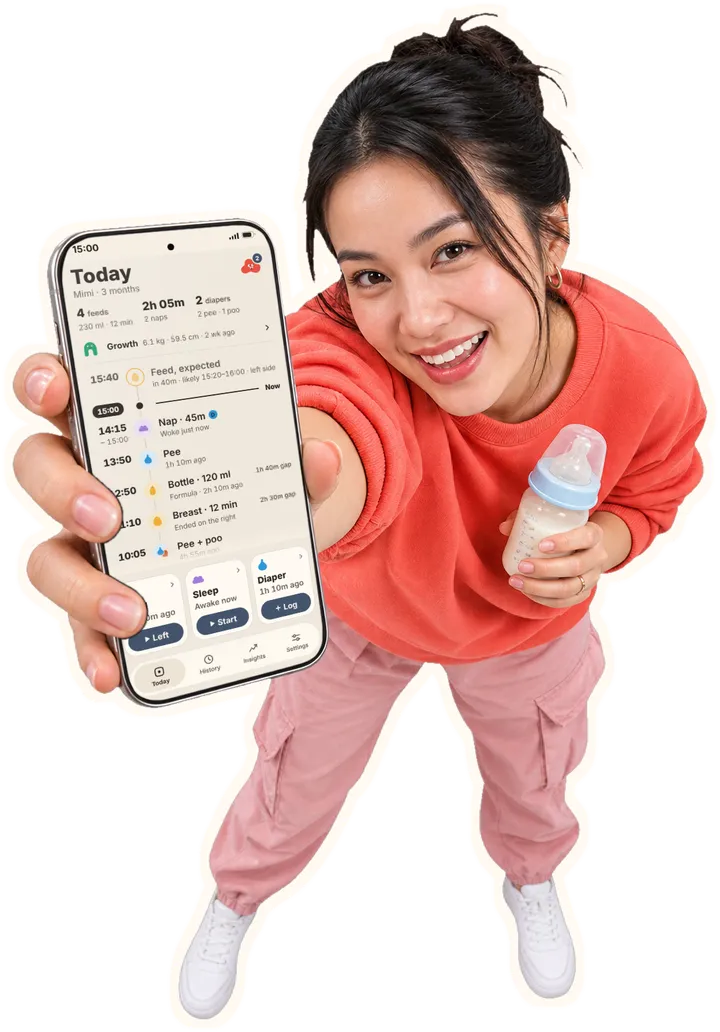
Each log your partner makes carries their initial on Today and in History, and the entry says, for example, “Logged by Dad · 15:00”. Your own logs stay plain, so the other parent’s stand out.
Running timers are shared too. Start the sleep timer on one phone and it counts on the other, and either of you can stop it. The session is logged once, whoever stops it.
Can grandparents or a nanny join?
Yes. A family holds up to 5 people, you included, so grandparents or a nanny can log alongside you. Pending invites count until they are accepted or cancelled.
The parent who shared the baby manages the family: they can copy or resend an invite link, cancel an invite or remove one person, and everyone else keeps sharing.
Is the shared data private?
Yes. Shared logs are kept in the private iCloud of the parent who shared the baby, through Apple’s CloudKit sharing. Only the people you invite can open them. We don’t run a server that stores your logs, and we can’t see them.
If you have two babies, each one is shared separately, so a baby you didn’t share never reaches your partner’s phone.
What if my partner already tracks the same baby?
When they join, the app notices the look-alike baby and asks: Add to shared history merges their logs into the shared baby, and Keep both leaves two separate babies. Nothing is deleted either way.
Questions
- Is family sharing free?
- Yes. Like every feature, it’s free. It uses a little iCloud storage of the parent who shared the baby.
- Do we need the same Apple Account?
- No. Each person uses their own iPhone and their own Apple Account, signed in to iCloud.
- Will I get a notification when my partner logs?
- Not yet. Their logs appear on your phone within seconds while the app is open, and otherwise the next time you open it. Pull down on Today to refresh.
- What happens if we stop sharing?
- The parent who shared can stop at any time, and anyone who joined can leave. The baby is then removed from the phones of the people who joined; the sharing parent keeps every log.
- Does it work offline?
- Yes. Keep logging; changes sync when the phone is back online. If you both edit the same entry offline, the newer edit wins on both phones.
- Is there an Android app?
- No. Baby Leveling Lite runs on iPhone, iPad and Apple Watch, so everyone in the family needs an Apple device.
Try it tonight.
Free on iPhone and Apple Watch. No account, no subscription.
Free · iPhone, iPad and Apple Watch · iOS 17 or later